Manage Rent & Money
From Your Phone
Pay rent, top up your wallet, request maintenance, and build your rental reputation — everything you need as a modern tenant.
Pay Rent Instantly
See what you owe, tap the bill, and pay in seconds. Each rent card shows the property, unit, due date, overdue days, penalty, and full fee breakdown before you confirm.
- Each rent card shows property photo, unit label, billing month, due date or days overdue
- View total due, balance remaining, and a full breakdown of rent, water, electricity, service, garbage, and penalties
- Choose M-Pesa STK Push, Paybill, M-Pesa Till, or wallet balance and pay with one tap
- If your wallet is low, STK top-up can fire automatically so rent is paid without extra steps
- Receipts and payment history remain available after the payment is completed

Top Up Wallet with M-Pesa
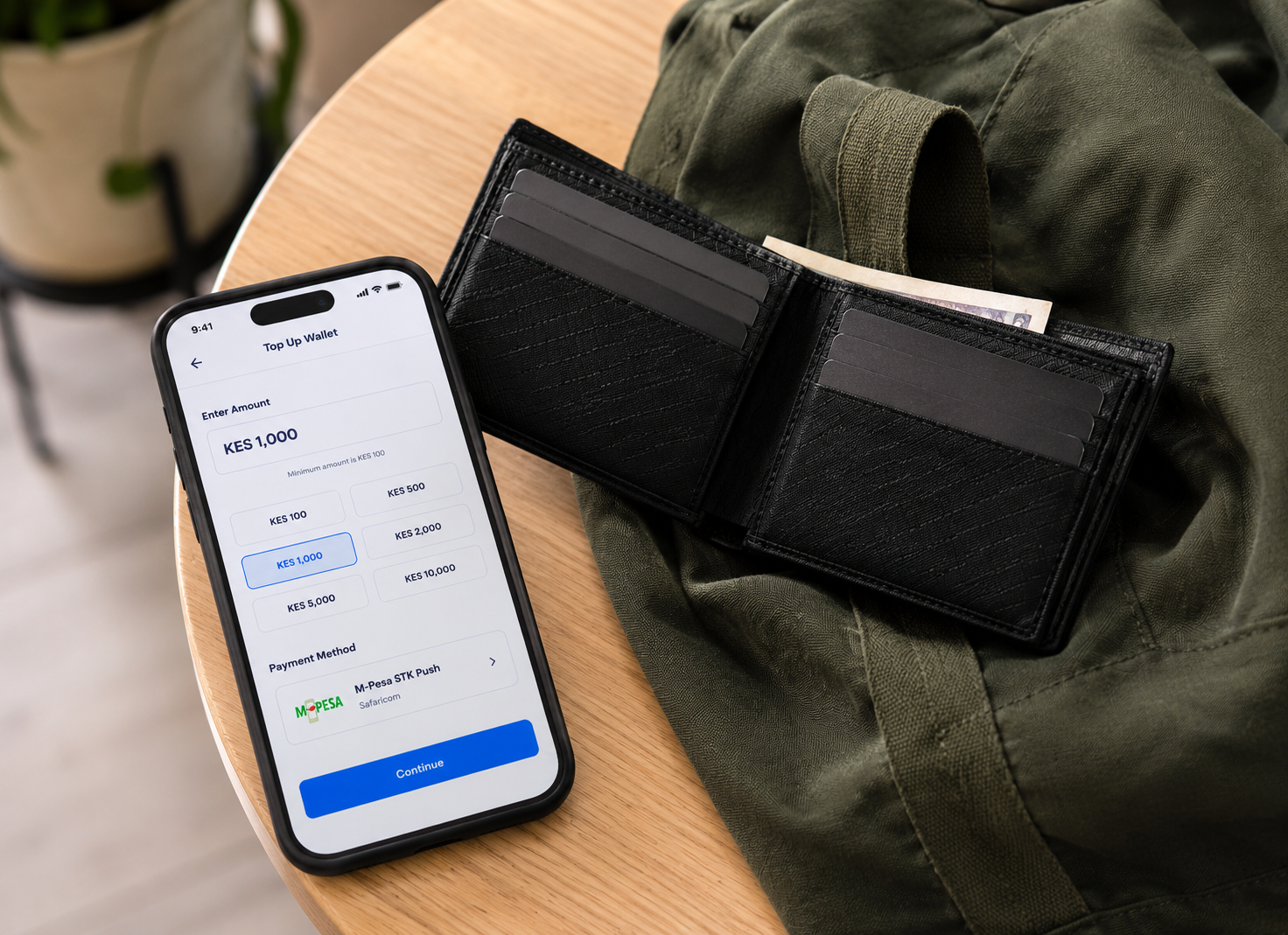
Your wallet is where rent and other payments are funded, so you can top it up in seconds with an M-Pesa STK push and have the money available instantly.
- Make sure your M-Pesa phone number is saved in your Profile before you start
- Go to Wallet, tap Top Up, and enter the amount you want to deposit (minimum KES 100)
- An M-Pesa STK prompt appears on your phone and you confirm with your M-Pesa PIN
- Once confirmed, the funds appear in your wallet instantly and are ready for rent or transfers
- Every top-up is logged in your transaction history for easy tracking
Send & Request Money
Transfer funds to any kodiipay user instantly — split rent with roommates, send money to family, or settle shared bills.
- Search recipient by phone number or name
- Add an optional note to every transfer
- Request money from any kodiipay user with approval workflow
- Recipient gets an instant in-app and push notification
- Approved requests deposit to your wallet immediately
- Full transaction history with timestamps for both sides

TENANT_MODULE.EXT
Additional capabilities
10 MODULES
Saved Contacts
Every person you send money to is automatically saved. One-tap transfers to your most frequent contacts — no re-entering phone numbers.
- ›Auto-saves all transfer recipients
- ›Most-used contacts sorted to top
- ›View past transaction history per contact
Request Maintenance
Report property issues in seconds — attach photos, set priority, and track repair progress from submission to completion.
- ›Categories: plumbing, electrical, structural, and more
- ›Attach multiple photos to show the issue clearly
- ›Set priority: Low, Medium, High, or Emergency
- ›Landlord gets instant notification
Direct Chat with Landlord
Communicate securely with your landlord without sharing personal phone numbers. Full message history preserved forever.
- ›Real-time messaging with read receipts
- ›Share photos, receipts, and documents
- ›Push notifications for new messages
- ›No personal contact details exposed
Instant Withdrawals
Withdraw your wallet balance to M-Pesa or a registered bank PayBill anytime. No waiting, no manual review, no middlemen.
- ›Minimum withdrawal: KES 100
- ›Instant processing — money arrives within seconds
- ›Supports M-Pesa, bank/PayBill transfers, and merchant Till payouts
- ›KYC verification required to unlock withdrawals
Full Payment History
Every transaction in one place — rent payments, top-ups, withdrawals, and money transfers, all with detailed breakdowns.
- ›Filter by transaction type (rent, deposits, withdrawals, transfers)
- ›See amount, date, status, and recipient for each entry
- ›View overdue days and penalty amounts where applicable
- ›Download or screenshot records for personal accounting
Build Rental Reputation
Every on-time payment strengthens your rental history. Future landlords review your record when you apply — a clean score opens doors.
- ›On-time vs late payments tracked automatically
- ›Penalty amounts and waiver history recorded
- ›Payment record shared with prospective landlords on your approval
- ›Pro tip: pay before the due date for a perfect score
KYC Verification
Upload your National ID and a passport-style photo to unlock full account features including rent payments and withdrawals.
- ›Required: National ID front & back, passport photo
- ›Optional: proof of address (utility bill, bank statement)
- ›Typically approved within 1–24 hours
- ›Rejected documents can be re-submitted with clearer images
App Security (PIN & Biometrics)
Secure every sign-in and transaction with app lock, email OTP, and device-session controls that block unauthorized access before it starts.
- ›Use biometric unlock with Face ID or fingerprint, plus a 4-digit PIN fallback
- ›Enable email OTP at sign-in and receive alerts for new devices and suspicious login attempts
- ›Set a device limit and evict old sessions in real time from your profile
- ›Every payment and withdrawal requires confirmation and follows server-side validation
Profile Management
Keep your personal information up to date — contact details, profile photo, M-Pesa number, and notification preferences all in one place.
- ›Update name, email, date of birth, and gender
- ›Set your M-Pesa number for top-ups
- ›Upload and change your profile photo
- ›Manage notification preferences
Referral Program
Share kodiipay with landlords you know and earn a cash reward for every landlord who subscribes to a premium plan.
- ›Get a unique 20-character referral code in your profile
- ›Share via WhatsApp, SMS, or any channel
- ›Earn a cash reward the moment the referred landlord upgrades
- ›No limit — refer as many landlords as you want
LANDLORD_OPS
Run Your Rental Business Like a Pro
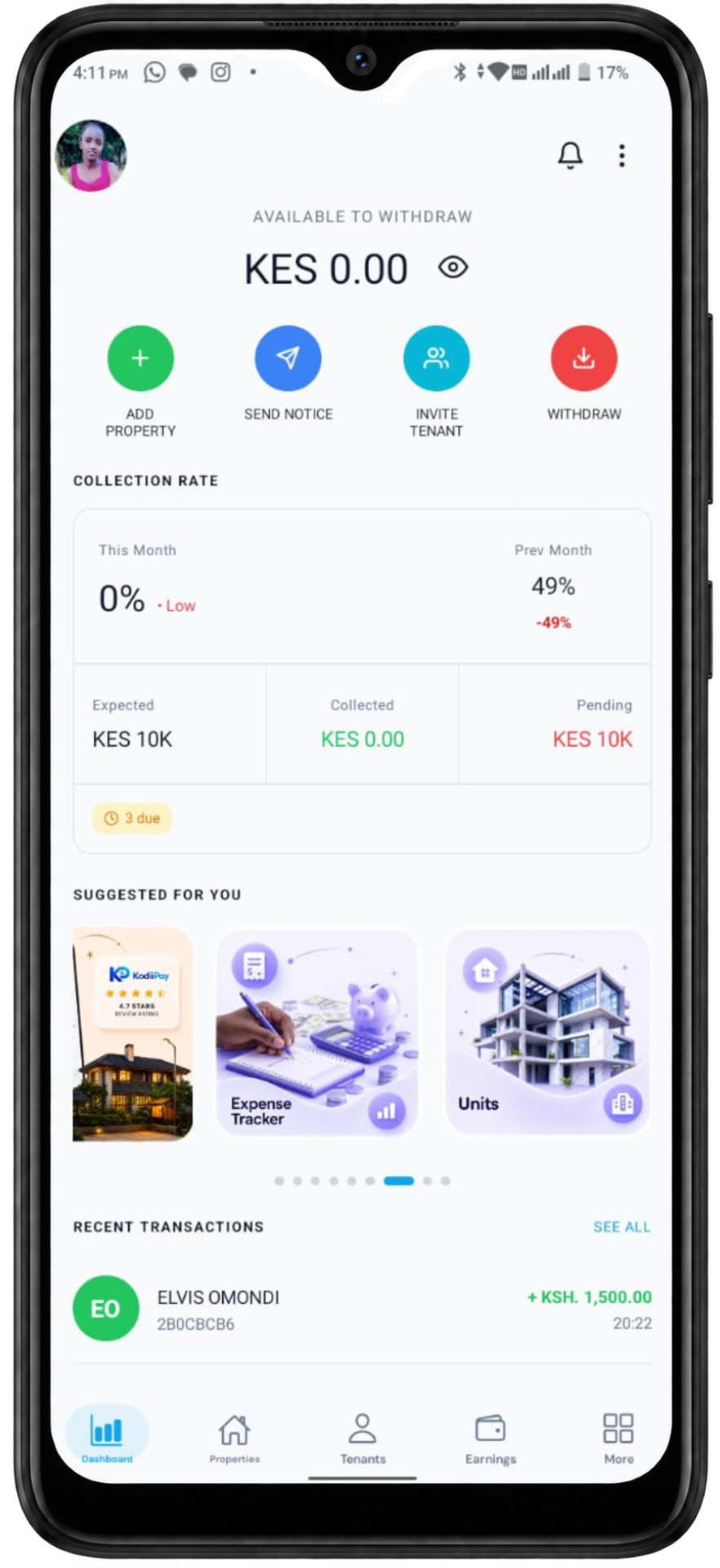
Manage unlimited properties, collect rent instantly, send legal notices, and grow your portfolio — all from one app.
∞
PROPERTIES
03
CORE FLOWS
Property & Unit Management
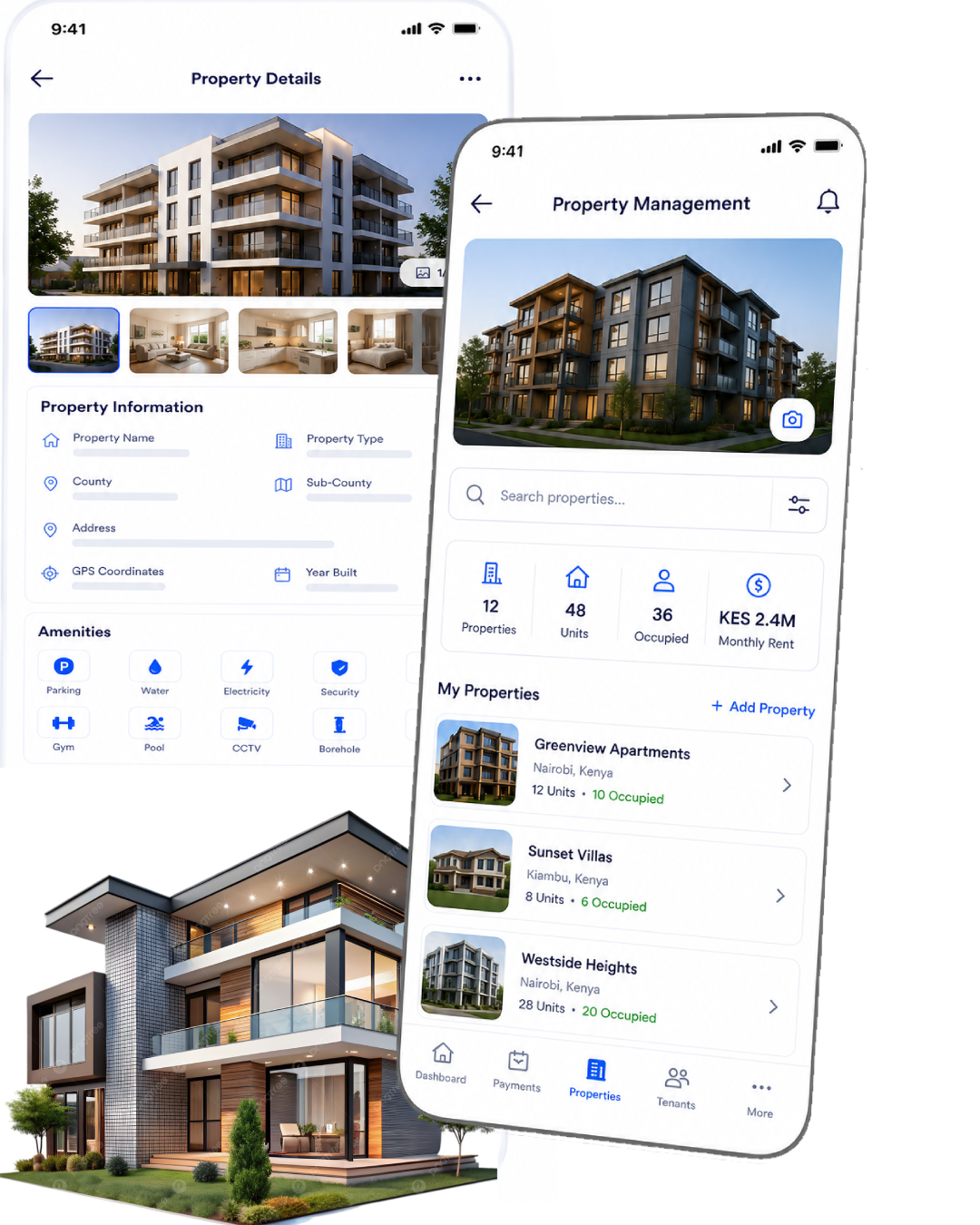
Add, organise, and manage unlimited properties and units with a seven-step setup flow, rich property details, photo galleries, amenity toggles, pricing controls, and a dashboard built for day-to-day landlord operations.
- Create properties with name, type, county, address, description, GPS coordinates, and year built
- Add amenities such as parking, water, electricity, security, WiFi, gym, pool, CCTV, and gated access
- Attach a cover photo and gallery for each property, then add unit-specific photos and pricing
- Set rent, deposit, water, electricity, service, garbage, and custom charges with the monthly total auto-calculated
- Use search, filters, sort options, and property actions to manage your portfolio from one dashboard
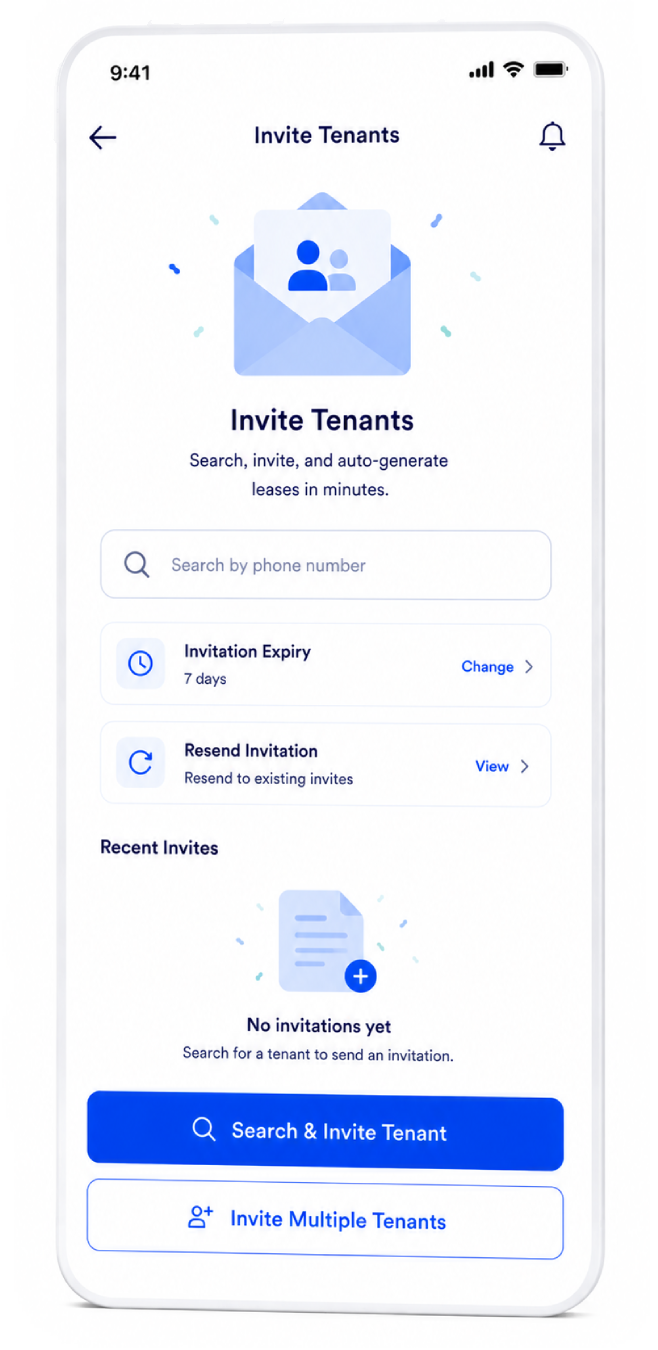
Invite Tenants & Auto-Generate Leases
Track and manage tenants from one dashboard with searchable profiles, live rent-status filters, payment histories, and fast tools for recording payments and sending notices.
- Search by tenant name, phone number, or property and filter by rent status such as paid, overdue, or due soon
- View total, paid, overdue, and due-soon tenant counts in one place
- Review tenant payment history, agreements, and account details without leaving the dashboard
- Record offline payments and keep balances consistent even when a tenant pays outside the app
- Highlight tenants with notices and keep your tenancy operations organised at a glance
Instant Rent Collection
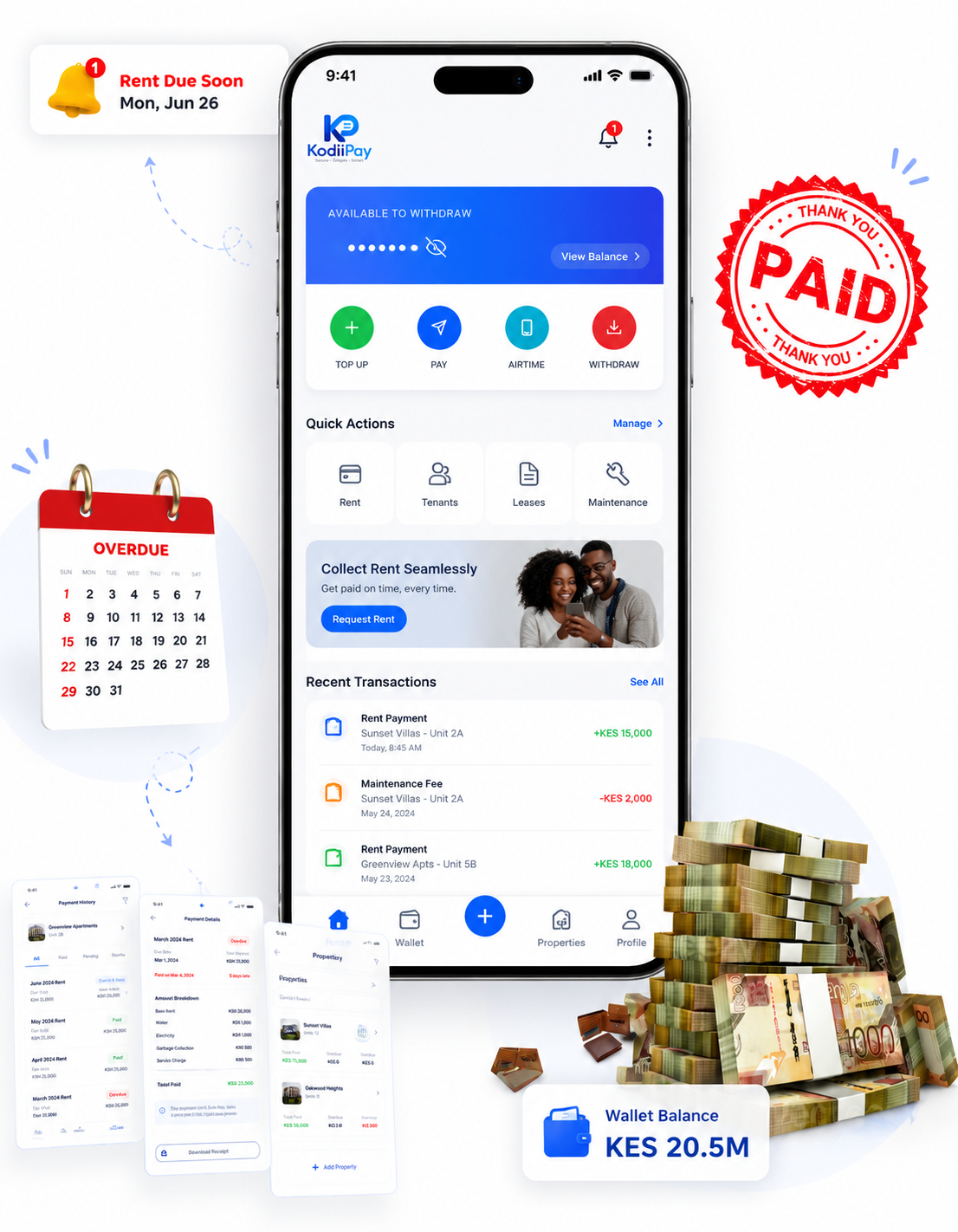
Collect rent with a secure, guided flow that shows every bill, confirms payment status instantly, and keeps receipts in the tenant's history without extra manual work.
- Tenants see what is due or overdue and can tap the bill to review the full rent breakdown
- Payments can be completed through M-Pesa STK Push, Paybill, M-Pesa Till, or wallet balance based on the landlord's configured method
- The app confirms payment instantly and stores a receipt and audit trail for both parties
- Scan a receipt's QR code inside the app to verify it instantly — tenants prove they paid, landlords prove they received
- Low wallet balances can trigger an automatic top-up flow so rent can still be paid without delay
- Every payment is logged with enough detail to keep the ledger accurate and transparent
LANDLORD_MODULE.EXT
Powerful extras
13 MODULES
Earnings Dashboard & Analytics
Track all rental income with charts, daily breakdowns, and month-to-month comparisons. Know exactly how your portfolio is performing.
- ›Monthly earnings visual chart
- ›Daily breakdown for the last 7 days
- ›All transactions with amounts, dates, and tenant details
Formal Legal Notices
Send legally-recorded notices to tenants through the platform. Delivery and read timestamps serve as proof in disputes.
- ›Vacate Notice — request a tenant to leave by a set date
- ›Rent Increase Notice — inform tenant of new rent amount
- ›Eviction Notice — for non-payment or lease breach
Maintenance Tracking
Assign tenant maintenance requests to contractors, track progress through every stage, and verify completion with photos.
- ›Instant notification when a tenant reports an issue
- ›View issue photos and priority level set by the tenant
- ›Assign to a contractor with deadline and cost estimate
Direct Tenant Chat
Message tenants directly without exchanging personal numbers. Share photos, documents, and receipts with a full preserved history.
- ›Real-time messaging with read receipts
- ›Attach photos, receipts, and documents
- ›Push notifications for new messages
Receive Rent to Your M-Pesa Till
Add your M-Pesa Till (Buy Goods & Services number) as a payout method and receive rent money directly into your merchant wallet — no separate PayBill required.
- ›Landlords can add an M-Pesa Till number as a payout method in addition to M-Pesa, PayBill, and wallet
- ›Tenants then pay rent directly to your Till with one tap from the app — the money goes straight to your Till, just like Bank Transfer goes straight to a PayBill
- ›Same KYC protection and subscription holds apply: if a hold is triggered the rent is safely held in your wallet instead
Instant Withdrawals
All collected rent lands in your wallet instantly. Withdraw to M-Pesa or your bank PayBill anytime with instant processing.
- ›Minimum withdrawal: KES 100
- ›Instant — money arrives within seconds
- ›Supports M-Pesa, M-Pesa Till, and bank/PayBill transfers
Invoices & Billing
Create and send invoices to tenants for additional charges, one-off services, or custom fees outside the standard rent cycle.
- ›Create custom invoices with line items
- ›Send directly to tenant via in-app notification
- ›Tenant pays from their wallet
KYC & Business Verification
Complete identity and business verification to unlock all platform features including withdrawals and full payment access.
- ›Submit National ID and passport photo
- ›KRA PIN and business registration (optional)
- ›Typically approved within 1–24 hours
Subscription Management
Choose the plan that matches the size of your portfolio. Upgrade anytime to unlock premium tools as your business grows.
- ›Free tier: core rent collection and tenant management
- ›Premium tier: budget planner, expense tracker, document storage
- ›Manage and upgrade your plan from the app
App Security (PIN & Biometrics)
Protect sensitive financial data and tenant records with app lock, two-factor checks, device limit controls, and server-side validation that keeps every transaction secure.
- ›Use biometric unlock with Face ID or fingerprint, plus a 4-digit PIN fallback
- ›Turn on email OTP at sign-in and receive alerts when a new device logs into your account
- ›Set a device limit and revoke sessions in real time when you need to lock down access
Referral Program
Earn a cash reward for every landlord you refer who subscribes to a premium plan. No cap — unlimited referrals, unlimited earnings.
- ›Find your unique 20-character code in Profile
- ›Share via any channel
- ›Cash reward credited instantly on their premium upgrade
Profile & Business Settings
Manage your business profile, KRA PIN, contact details, profile photo, payout methods, and notification preferences.
- ›Update name, email, phone, and date of birth
- ›Add KRA PIN and registration details
- ›Add payout methods from Profile — M-Pesa, M-Pesa Till, or Bank (PayBill)
Support & Help Center
Get help anytime through in-app support, FAQs, guides, and a dedicated customer support team.
- ›In-app chat with the kodiipay support team
- ›Step-by-step guides for all features
- ›FAQ section for common questions
PREMIUM_TIER
Advanced tools for serious landlords
Full control over budgets, expenses, sessions, and documents.
Budget Planner
Set monthly budgets per property or unit across 8+ expense categories. Monitor actual spending against targets and get overspending alerts before it's too late.
- 8+ categories: maintenance, utilities, supplies, cleaning, insurance, taxes, custom
- Set per-category monthly limits
- Visual budget vs. actual tracking
- Real-time overspend alerts
- Export budget reports as PDF
MARCH_BUDGET.LOG
275,000 / 400,000 KES
Maintenance & Repairs
78,000 / 100,000 KES
22,000 LEFTUtilities
92,000 / 100,000 KES
APPROACHING_LIMITCleaning
45,000 / 100,000 KES
55,000 LEFTInsurance
60,000 / 100,000 KES
40,000 LEFTTHIS_MONTH.LOG
184,500 KES
Plumbing repair — Unit 4B
TODAY
8,500
Monthly garbage collection
YESTERDAY
12,000
Security camera service
MAR 14
24,000
Cleaning supplies restock
MAR 12
6,200
Expense Tracker
Log every property expense with receipts attached. Generate tax-ready reports and analyse profitability across your portfolio.
- Add expense: category, amount, date, description, vendor
- Attach receipt photo to each entry
- Monthly summary by category
- Month-to-month trend comparison
- Income vs. expenses profitability view
- Export PDF reports for accounting & tax
Device Management
kodiipay supports multiple devices per account. Sign in on your phone, tablet, and laptop — all your data stays in sync, secured by biometric login on every device.
- Set a device limit between 1 and 10 — everyone starts at 3
- Sign in on a new device by entering a 6-digit OTP sent to your email
- New device sign-in auto-evicts the oldest session to stay within your limit
- View every session's device, OS, IP address and last active time
- Revoke a single session or all other sessions in real time
- An evicted device locks instantly with a full-screen Session Ended overlay
SESSIONS.LOG
2 / 3 ACTIVE
iPhone 15 Pro
THIS DEVICENAIROBI, KE · ACTIVE NOW
MacBook Air M2
NAIROBI, KE · 2H AGO
iPad Pro
MOMBASA, KE · 3D AGO

53 ENTRIES